When the WiFi Lies: The Slow WiFi That Actually Wasn't
Changing More Than 1 Variable… #
Early 2026 had a couple of unexpected tech upgrades.
First, my laptop became a desktop on me. A coworker had a 2020 Razer Book as a work laptop that bit the dust in 2024. I ended up finding a cheap “non-working” replacement logic board for dirt cheap on eBay, took a chance on it, hoping I could maybe make 1 working board out of the two. Turned out, I accomplished that task- the non-working unit actually just worked.
Eventually, the display cable died. It was a design defect. 100% of them fail, and the spare parts pool is mostly dried up. There’s dozens of displays available, all with the damaged or no ribbon cable. I got my hands on a cable and decided to give it a shot, but unfortunately I cracked the glass/digitizer. At that point, I could spend $100-$150 and get a new display assembly, install my unobtanium cable, and have another laptop that will fail.
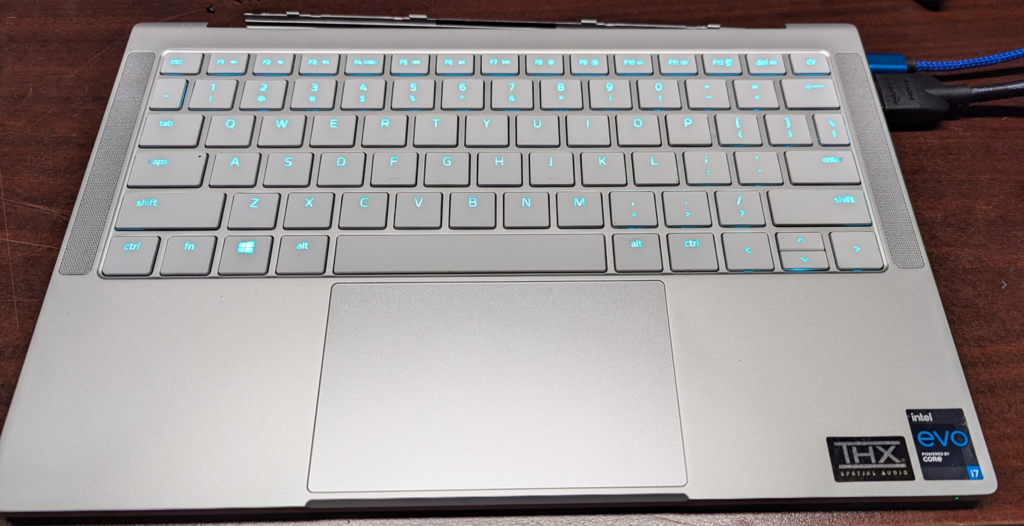
Or, rip the display out of it, call it a desktop and be done with it. I chose the option that had me buying a new laptop during the AI memory shortage and purchased a Framework 13 (Ryzen AI 340, 8GB DDR5-5600, RZ717 WiFi).
I also ended up browsing eBay one late night, and decided to try and find an OpenWrt compatible access point since I was going to be hosting a LAN Party. I didn’t even realize how good of a deal it was at the time, but I ended up getting a Netgear WAX630 for around $40 shipped.
A week later, I get a box in the mail and find not one access point, but two! Luck is on my side, or so I thought.
The exact order of events is a bit of a blur, but I got my Framework all set up, hosted the LAN, and decided to replace my 2nd floor AP (Unifi AP AC-LR) in my home with the WAX630, since all our daily driver devices now supported WiFi 6 or better. Everything seemed fine, my wife didn’t complain about the WiFi not working.
The Problem Presents Itself #
One night, we are upstairs in my wife’s studio. We found a new Steam game to play. We purchased 2 copies and we started the download. It was a 10 GB game, but that usually only took a minute or 2 on our connection. This night, however, downloads were quite slow. (Don’t ask me what the game was. I was so distracted by the WiFi problem that I don’t even remember.)
My Framework was further along on the download, so I thought to pause the download on her desktop, complete the download on the laptop, and use local transfer for a lightning-quick transfer. But even with one client downloading, the downloads were only peaking at ~40 Mbps on a 400 Mbps service. Even an eternity later, after my Framework download completed, the transfer was slow too!
Bad WiFi card? #
I’m relatively new with my Framework at the time, so naturally, I presume the issue is related to that. A little bit of searching and I come across the Arch Wiki Page for my laptop, and under WiFi, my Mediatek MT7925 based WiFi card says Poor Support in the table. This must be my culprit!
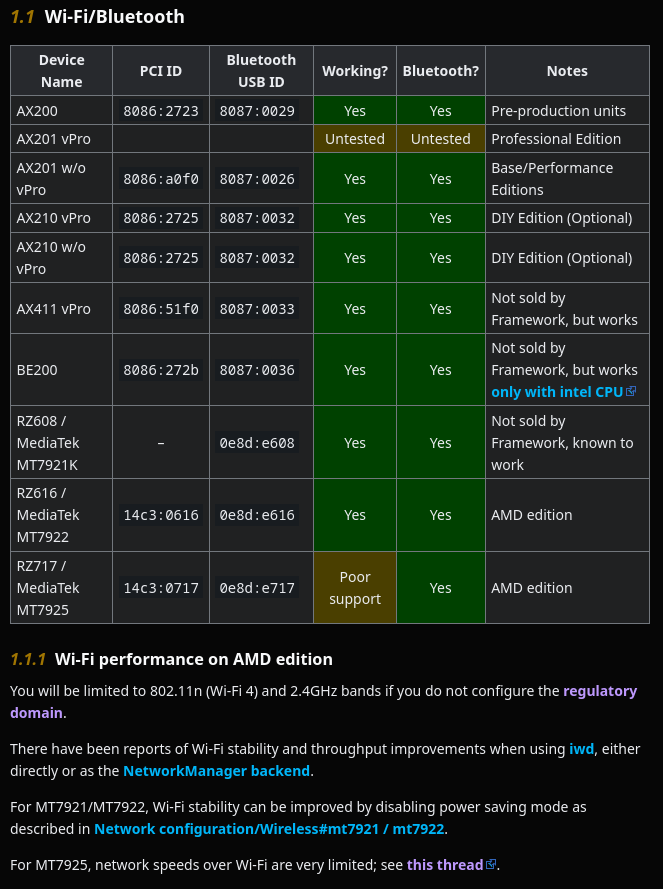
I go through the configuration steps in the wiki, but I’m not doing any more heavy downloading. Seems fine in short downloads, as I was able to hit speeds higher than 40 Mbps. But a week or so later, I get another period of slow downloads!
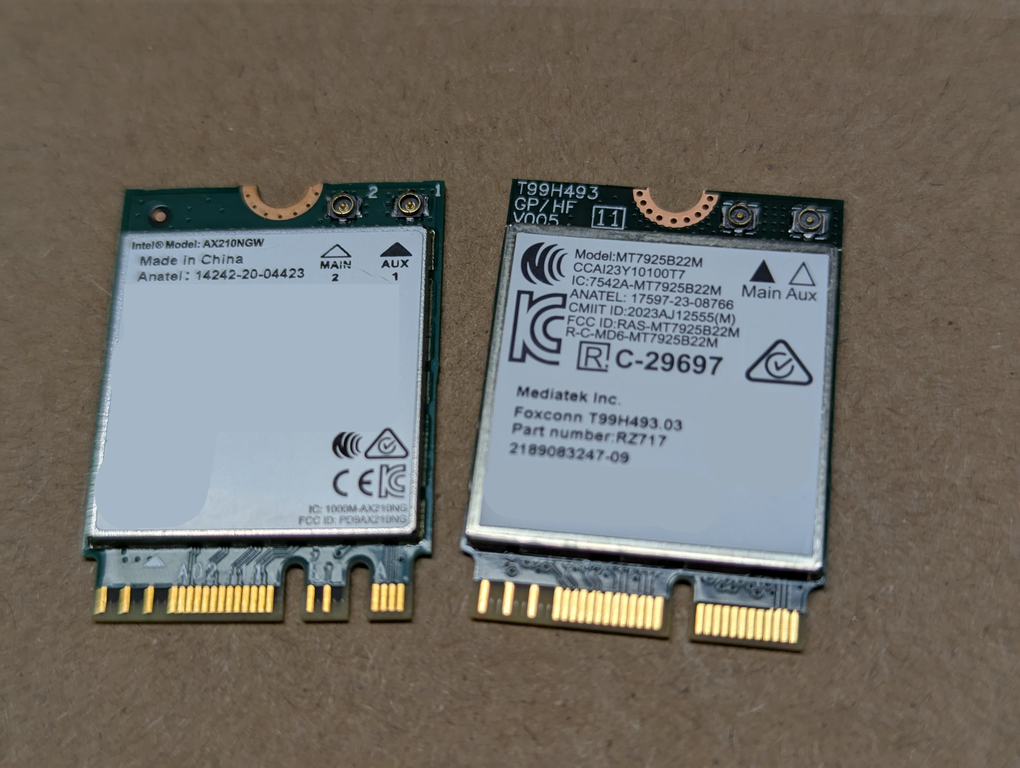
I decided $10 for an Intel AX210 card as a trobleshooting step is a worthwhile investment. Turns out it was a great waste of $10 because some time later I had another huge slow-down.
Bad Access Point (Firmware)? #
My laptop surely couldn’t be the issue, but the Access Point… Perhaps it was the culprit.
Anecdotally, it didn’t seem like the culprit. Sure, it came from sketchy origins (a $20 6,000 Mbps AP, shipped to me with a running config for the last place it was installed), and sure, I also flashed OpenWrt on it instead of using the stock firmware. But I tested it for 2 weeks in my basement, ran a LAN Party with 8-10 Steam Decks on WiFi, and ran it in testing again before I put it in my ceiling. I even looked at the cabling and made sure everything negotiated to gigabit speeds.
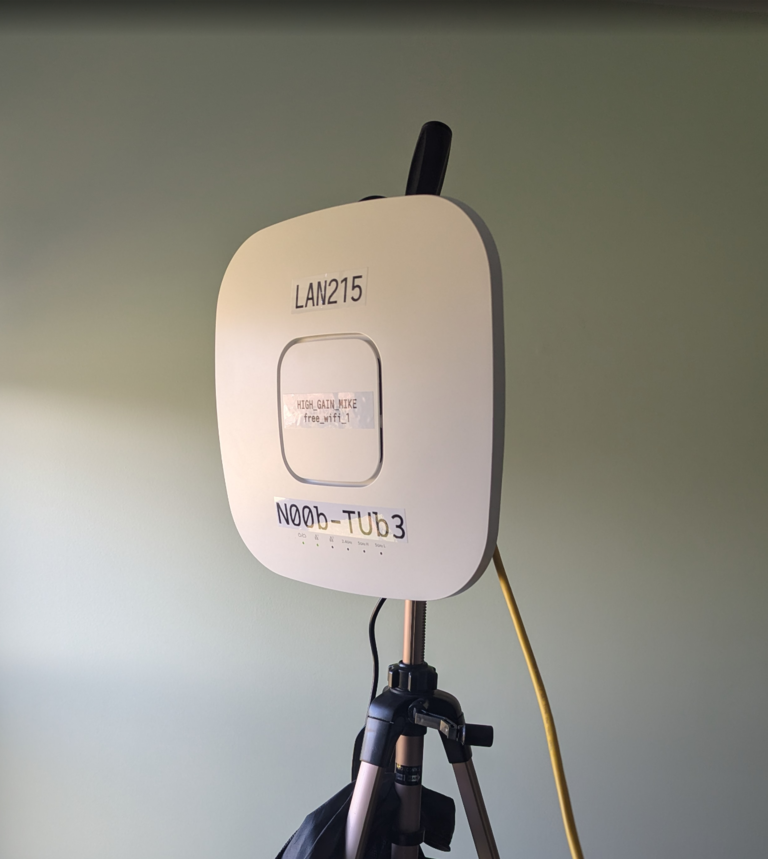
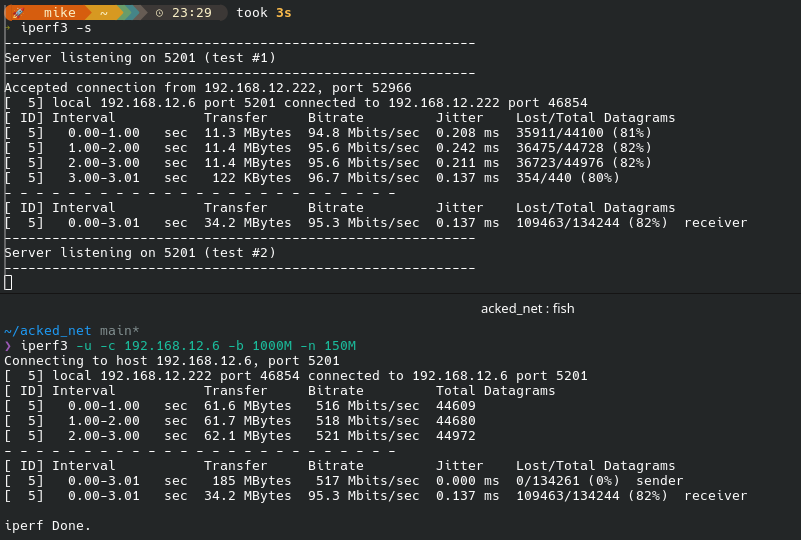
Eventually, I had another slow download session. At this point, I lock in, start locking down variables, build out a truth table, and start iperf tests on every piece of equipment I can install iperf on. And the results had me shocked and confused. My tests were all coming back with anywhere between 60% and 90% packet loss when I connected any device via that WAX630 Access Point.
Surely It has to be Qualcomm NSS! #
The WAX630 uses the Qualcomm IPQ807x SoC. One of the features of the SoC is the NSS (Network SubSystem), or a piece of hardware designed to offload packet routing tasks. The problem is that NSS requires proprietary binaries, and extensive kernel patchwork. But there’s a fork where someone did all the hard work, so I might as well compile and try it out. A little-bit un-free is at least better than completely un-free Netgear firmware, so I guess there’s that.
OpenWrt-NSS installed, I run my iperfs again, and I get pretty much exactly the same performance. Now, some of my research showed that NSS really removed performance bottlenecks in all use cases, but other posts said it only helps when using L3 features. But I didn’t expect to see exactly the same results. I was stumped. I’ve narrowed down the problem to this AP. But it had nearly a month of testing prior showing it to be quite performant. Did it just die on me? Am I losing my mind?
The Hidden Culprit #
At this point, I am defeated. I’m considering putting my old AP back in the ceiling. It’s WiFi AC but at least I could hit more than 40 Mbps on it. I go to dig it out and thats when I spot the little orange LED. In the back of the bedroom closet, I found the cause of months of frustrations.
You see, my house was not pre-wired for Ethernet. I’m cheap, and so when I wired my house, I looked for inspiration from your cable company install technician. My friend Evan said it best- these technicians have the perfect storm of the worst requirements: A 1-hour job that charges $0-$100, an install in a completely different and unique building every time, and any cable runs through the exterior can’t leak.
My cable modem and router live in the foyer closet on the first floor of my house. I have a cable that runs through the floor into the basement, into the garage, and into the attic above the garage where I have a dumb switch. It was a convenient place to hard-wire my PV controller to remove the cellular connection from it.
From that garage attic switch, I routed a second ethernet cable into the attic space above the bedrooms, and down into a closet in a spare bedroom. This switch is where the WAX630 AP is connected.
That cable was the problem. It was negotiating to 100 Mbps occasionally.
+----------+                    +-----------+
|  ROUTER  |                    |  WAX630   |
+----------+                    +-----------+
     |                                |
     |                                |
   1 Gbps                           1 Gbps
     |                                |
     |                                |
+------------+                +--------------+
| SW_GARAGE  |----100 Mbps----|  SW_BEDROOM  |
+------------+                +--------------+
I missed this cable. I checked the negotiated speed on the Access Point. I checked the negotiated speed on the router. Both of these were done in software, and when I saw 1 Gbps, I crossed that path off the fault tree and kept going.
This cable was tested when I installed it, but being in a hot environent with a few years of expansion/contraction and vibration from the garage door openers every day, the connection sometimes would negotiate to 100 Mbps link speed, and sometimes would negotiate to 1 Gbps. And when that middle link negotiated to 100 Mbps, any traffic moving at faster rates would have 9/10 of their packets dropped. The math adds up now!
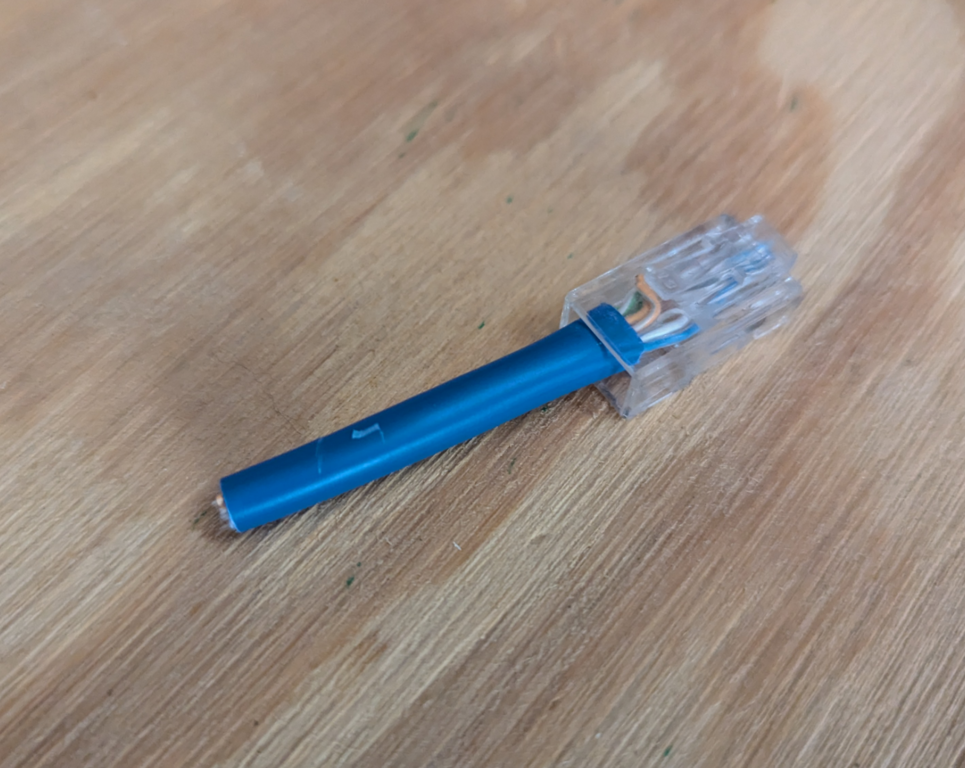
Months of sanity lost. One loose RJ-45 gained.
Conclusion #
This problem wasn’t difficult because the problem is difficult. It was difficult because the problem was hard to spot. As soon as the problem was spotted, the solution was to wait for a cool summer evening, climb into the attic, and re-terminate the RJ-45.
When running into problems in life, it can be easy to jump right into the troubleshooting before you even know what the problem is. After all, that’s the fun part of engineering, right?
In this case, visibility was key. I assumed I had visibility of the whole system, but because the switches in the attic and bedroom closet were so far tucked away, I had conveniently forgot about this intermediary link, which failed in a way I couldn’t see until I was digging out the old AP.
Solution #
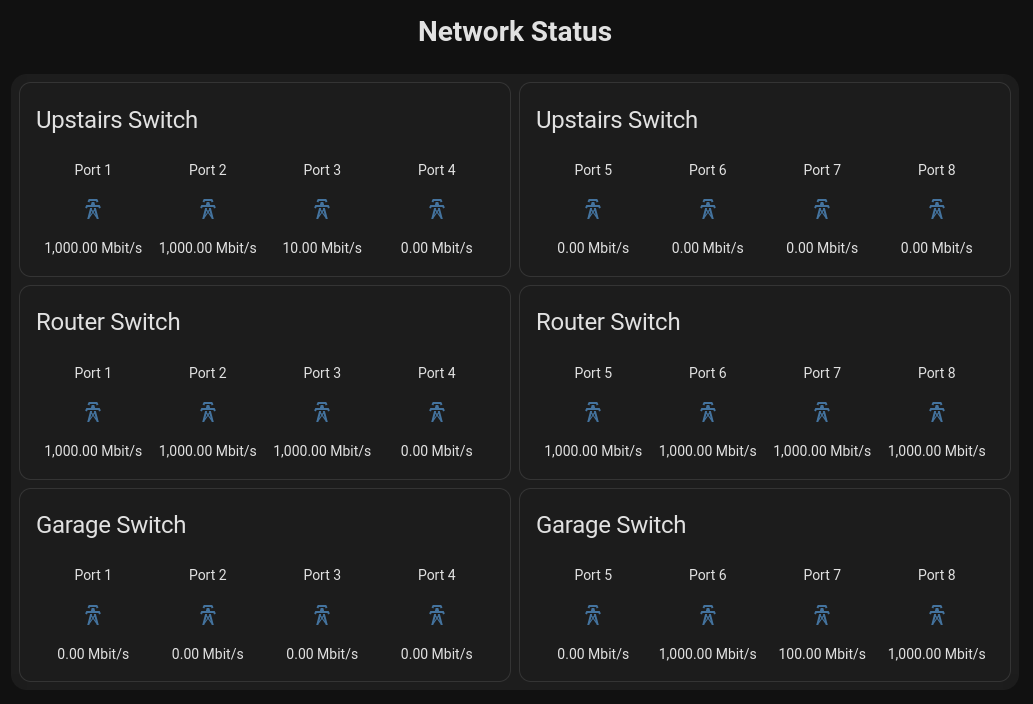
Having lost so much time to this problem, I naturally didn’t want it to happen again, and replaced the unmanaged switches with Netgear GS308E managed switches.
For under $25 for a gigabit managed switch, it was a no-brainer if it meant I wouldn’t fall into the same trap in the future. They don’t support SNMP, which would have been ideal, but there is at least a Home Assistant HACS integration that lets me monitor these.